AI helps add 10,000 more photos to OldNYC
Over the past two years I’ve quietly rebuilt major parts of the OldNYC photo viewer. The result: 10,000 additional historic photos on the map, more accurate locations, and a site that’s cheaper and easier to run—thanks to modern AI tools and the OpenStreetMap ecosystem.
OldNYC had about 39,000 photos in 2016. Today it has 49,000.
Most of these changes happened in 2024, but I’m only writing about them now in 2026. (I got distracted by an unrelated project.) If you haven’t visited OldNYC in a while, take a look—you might find some photos you missed.
Here are the three biggest improvements: better geolocation, dramatically improved OCR, and a switch to an open mapping stack.
Better Geolocation with OpenAI and OpenStreetMap
OldNYC works by geocoding historical descriptions—turning text like “Broad Street, south from Wall Street” into a latitude and longitude.
Originally this mostly meant extracting cross streets from titles and sending them to the Google Maps Geocoding API. That worked well when the streets still existed—but many historical intersections don’t.
Two changes in 2024 improved this dramatically.
GPT for hard geocodes
Some images include useful location details only in the description. I now use the OpenAI API (gpt-4o) to extract locations from that text.
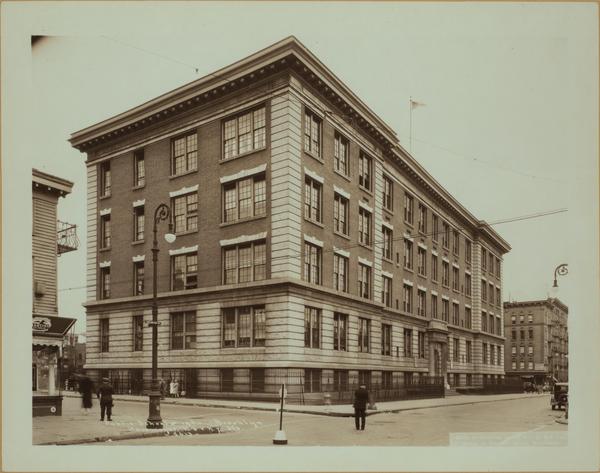
Public Schools - Brooklyn - P.S. 143. 1930
Havemeyer Street, west side, from North 6th to North 7th Streets, showing Public School No. 143. The view is north from North 6th Street.
The school no longer exists, so the title alone can’t be geocoded. From the description, GPT extracted:
- Havemeyer St & North 6th St
- Havemeyer St & North 7th St
- Public School No. 143
Both intersections exist in OpenStreetMap, so OldNYC places the image at the first one.
Tasks like this require a surprising amount of interpretation: GPT understands that “North 6th” means “North 6th Street” and extracts the relevant intersections while ignoring irrelevant phrases like “west side”. Computers have historically had trouble with this type of task, but the newer AI models nail it.
Using GPT located about 6,000 additional photos. Today OldNYC can locate roughly 87% of photos with usable location data, and about 96% of mapped images appear in the correct location.
OSM for geocoding
I also replaced the Google Maps geocoder with OpenStreetMap and historical street datasets.
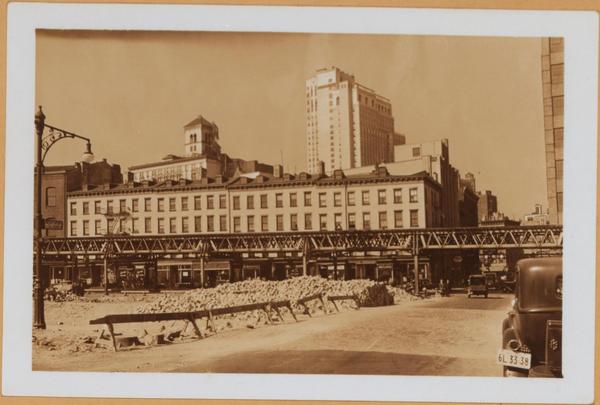
Brooklyn: Fulton Street – Nassau Street
These streets intersected in Brooklyn in the 1930s but no longer do today. Google geocodes this to Manhattan, where streets with those names still intersect.
OldNYC now incorporates data from the NYPL’s [historical streets project], which includes the original Brooklyn intersection. The photo now appears in the correct location.
AI-Powered OCR
Most OldNYC photos include descriptions from the NYPL catalog—but on the NYPL site these are scanned typewriter images, not text.
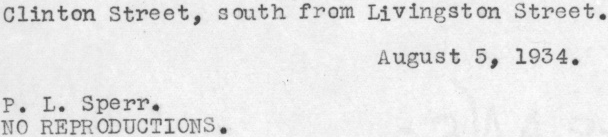
When I launched OldNYC in 2015, converting these images to text (OCR) was the hardest technical problem. I built a custom pipeline using Ocropus that achieved over 99% character accuracy. Even so, the errors were noticeable when reading.
To fix mistakes I added a “Fix Typos” feature that let users correct transcriptions. This triggered New Yorkers’ collective OCD and users submitted thousands of edits.
In 2024 I rebuilt the OCR system using gpt-4o-mini.
The results were much better:
- text coverage increased from 25,000 to 32,000 images
- for images with both systems, GPT was better ~75% of the time and clearly worse only ~2%
Here’s a dramatic example where the old OCR produced complete gibberish due to an unusual font:
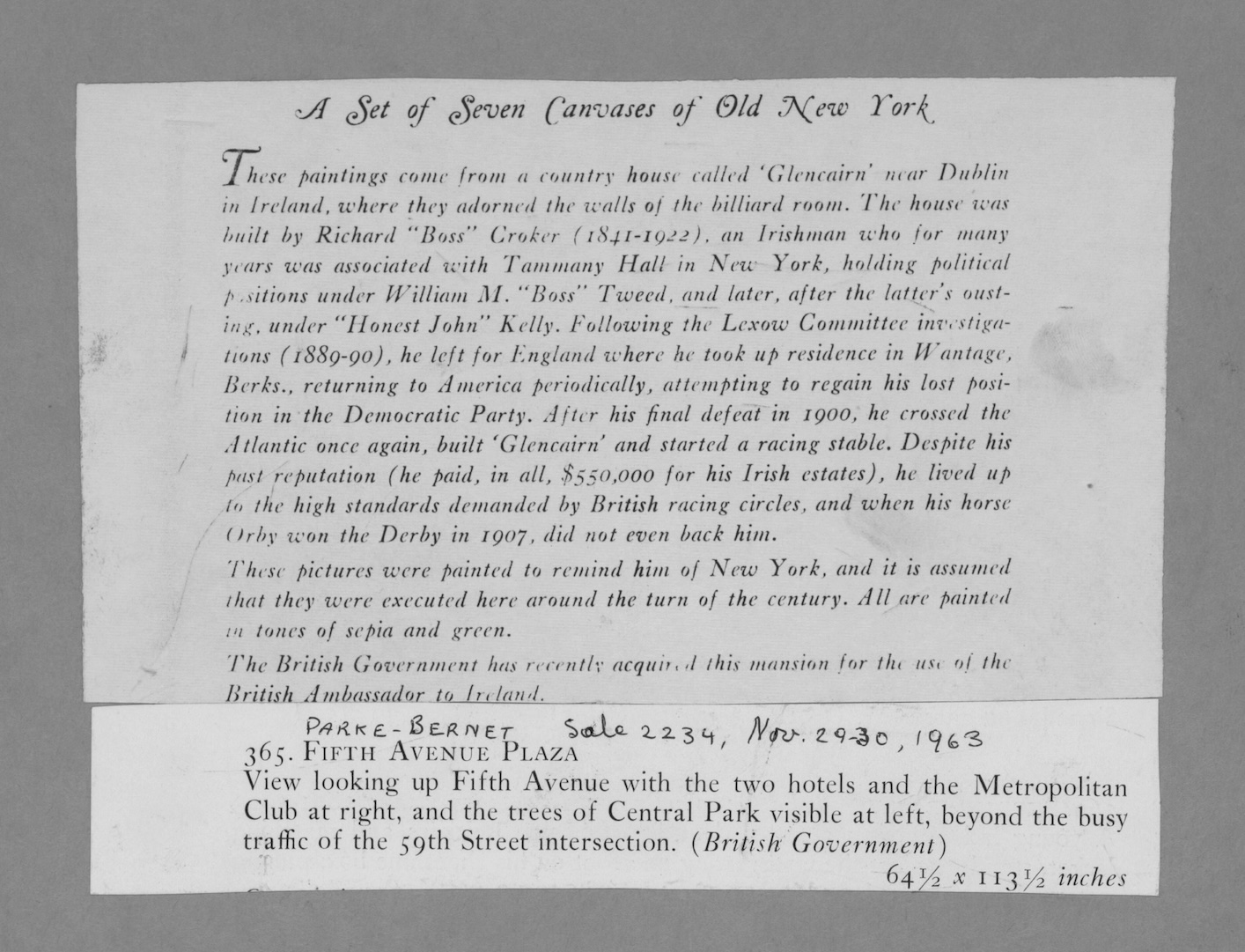
GPT transcribes it perfectly.
A few lessons from rebuilding the pipeline:
- GPT worked best on high-resolution source images, not the low-res images on the NYPL site.
- The text-detection code I wrote in 2015 still helps by cropping images before OCR.
- Providing context like titles caused GPT to hallucinate text. The best results came from giving it only the image.
Overall, tools like OpenAI mean that OCR is a much easier problem in 2024 than it was in 2015.
Moving from Google Maps to OpenStreetMap
When OldNYC launched, Google Maps was the default choice for web mapping, and it was free to use. But over time, Google’s pricing model changed. In late 2024 they replaced their $200/month free credit with separate quotas for individual APIs. Under the new system, rather than being free, OldNYC would have cost about $35/month.
Instead of paying Google indefinitely for a hobby project, I migrated the site to OpenStreetMap vector tiles and MapLibre.
The new stack has some nice benefits:
- faster rendering
- smoother zooming
- full control over map styling
For example, I can remove anachronisms like highways and tunnels that didn’t exist in the 1930s.
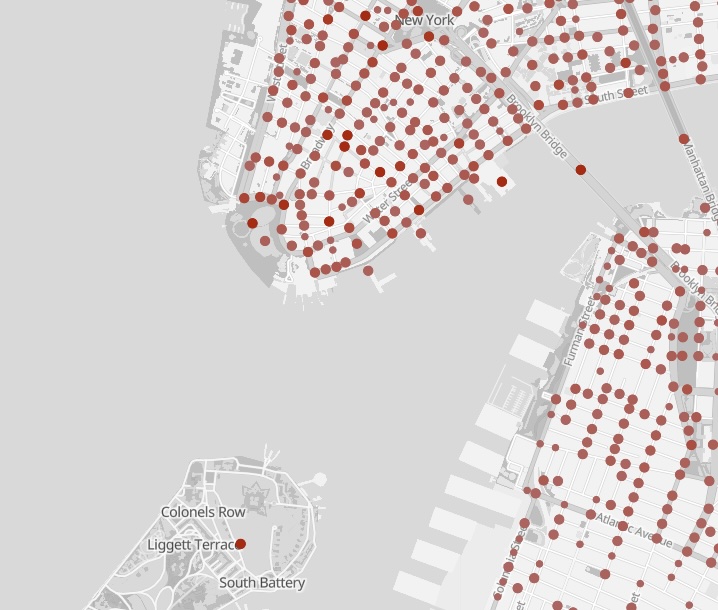 Look, no Brooklyn-Battery Tunnel!
What’s Next
There’s still plenty to improve.
AI could extract additional information from images—identifying people, buildings, or indoor/outdoor scenes. I’d also like to incorporate photographs from other collections.
I’ve also started contributing to OpenHistoricalMap, the history-focused cousin of OpenStreetMap. If it eventually includes full historical street grids for NYC, locating photos could become dramatically easier.
Finally, I’d love to make it easier for developers to build OldNYC-style sites for other cities. If you’re interested, please reach out.
📪 If you’d like to be informed of OldNYC updates, please subscribe to the new mailing list! If you subscribed before 2026, you’ll need to subscribe again. Sorry, MailChimp deleted the old list. 😡
Please reach out if you have any feedback.