02.09.13
Posted in programming, web at 11:11 pm by danvk
Over the past month, I’ve been working with imagery from the NYPL’s Milstein Collection. Astute readers may have some guesses why. The images look something like this one:

There are two photos in this picture! They’re on cards set against a brown background. Other pictures in the Milstein gallery have one or three photos, with or without a white border:


To make something akin to OldSF, I’d need to write a program to find and extract each of the photos embedded in these pictures. It’s incredibly easy for our eyes to pick out the embedded photos, but this is deceptive. We’re really good at this sort of thing! Teaching a computer to do makes you realize how non-trivial the problem is.
I started by converting the images to grayscale and running edge detection:
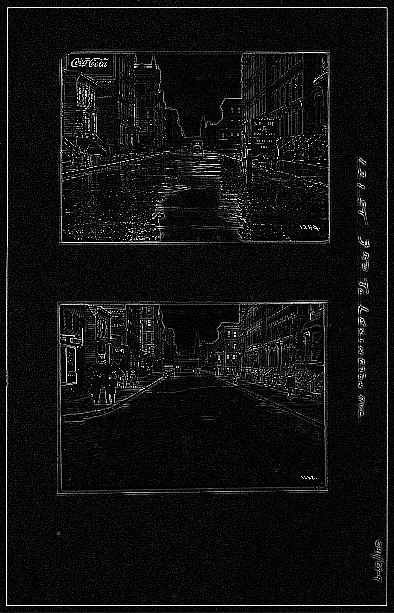
The white lines indicate places where there was an “edge” in the original image. It’s an impressive effect—almost like you hired someone to sketch the image. The details on the stoops are particularly cool:
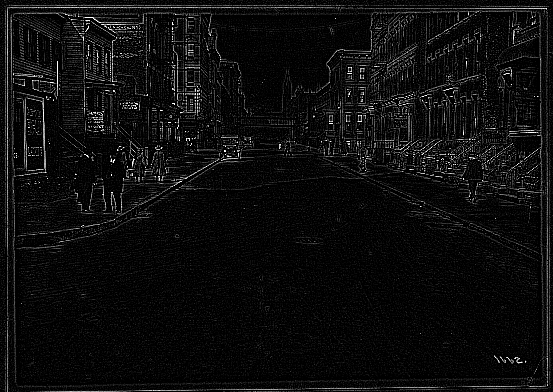
The interesting bit for us isn’t the lines inside the photo so much as the white box around it. Running an edge detection algorithm brings it into stark relief. There are a number of image processing algorithms to detect lines, for example the Hough Transform or scipy’s probabilistic_hough. I’ve never been able to get these to work, however, and this ultimately proved to be a dead end.
A simple algorithm often works much better than high-powered computer vision algorithms like edge detection and the Hough Transform. In this case, I realized that there was, in fact, a much simpler way to do things.
The images are always on brown paper. So why not find the brown paper and call everything else the photos? To do this, I found the median color in each image, blurred it and called everything within an RMSE of 20 “brown”. I colored the brown pixels black and the non-brown pixels white. This left me with an image like this:

Now this is progress! The rectangles stand out clearly. Now it’s a matter of teaching the computer to find them.
To do this, I used the following algorithm:
- Pick a random white pixel, (x, y) (statistically, this is likely to be in a photo)
- Call this a 1×1 rectangle.
- Extend the rectangle out in all directions, so long as you keep adding new white pixels.
- If this rectangle is larger than 100×100, record it as a photo.
- Color the rectangle black.
- If <90% of the image is black, go back to step 1.
Eventually this should find all the photos. Here are the results on the original photo from the top of the post:
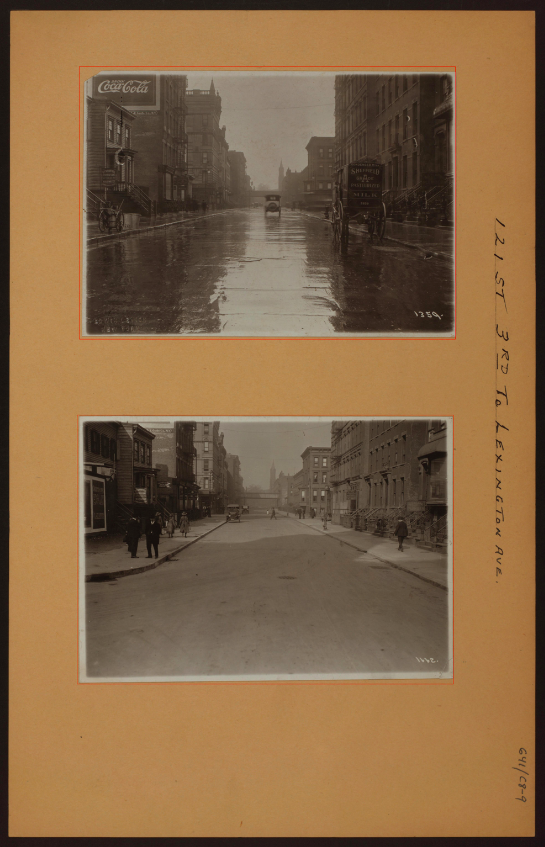
The red rectangles are those found by the algorithm. This has a few nice properties:
- It naturally generalizes to images with 1, 2, 3, 4, etc. photos.
- It still works well when the photos are slightly rotated.
- It works for any background color (lighting conditions vary for each image).
There’s still some tweaking to do, but I’m really happy with how this algorithm has performed! You can find the source code here.
Permalink
01.27.13
Posted in san francisco, web at 9:21 pm by danvk
After its recent update, OldSF got an unexpected surge of traffic after appearing on Hacker News and reddit San Francisco.
Traffic peaked at 14,000 visitors the day it hit Hacker News, then trailed off:

I particularly enjoyed the new “Live Analytics” feature on Google Analytics, which shows you who’s on your site right now:

In the end, 40% of our traffic came from Facebook, 39% from Hacker News, 10% from reddit, 7.5% from Twitter and 3% from Google+. In other words, things started on Hacker News but wound up spreading through other social media.
The traffic spike was exciting, but also a bit sad. OldSF is fundamentally a read-only site, which makes it hard to keep people coming back. Raven and I did some brainstorming and decided to start tweeting “pictures of the day” on @Old_SF. Please follow us!
Permalink
01.21.13
Posted in programming, san francisco, web at 7:21 pm by danvk
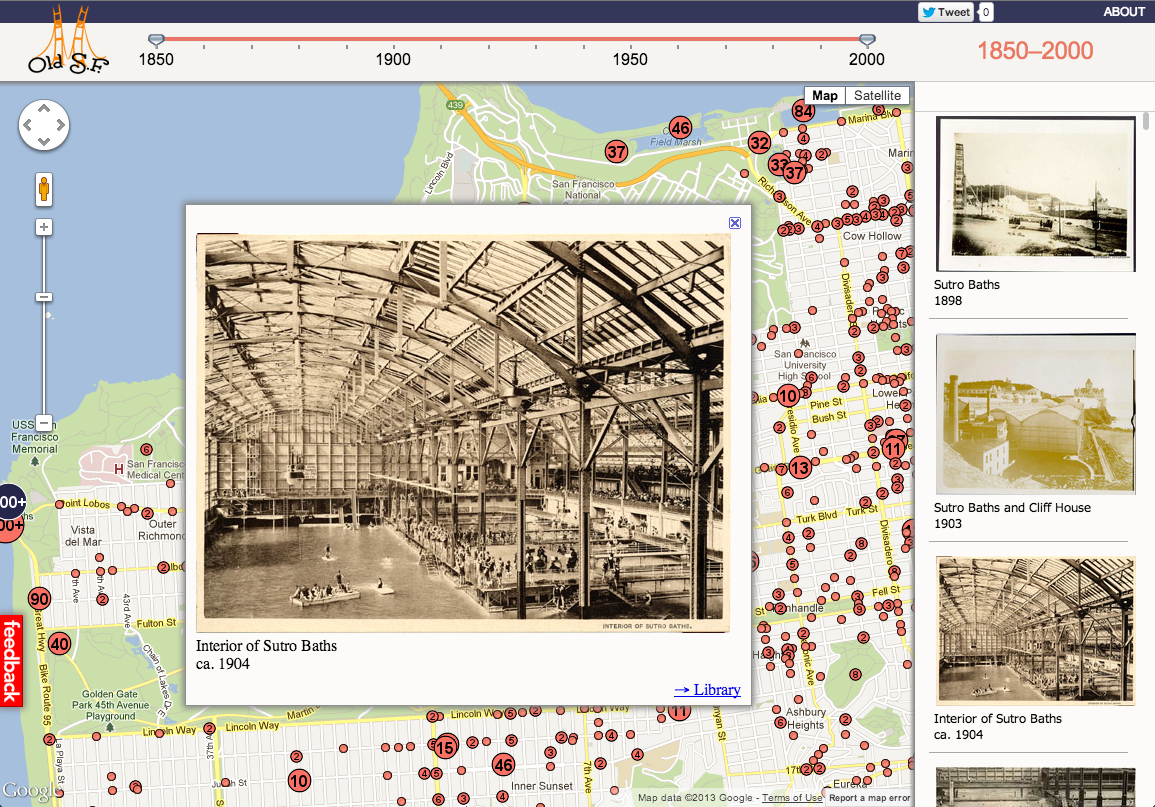
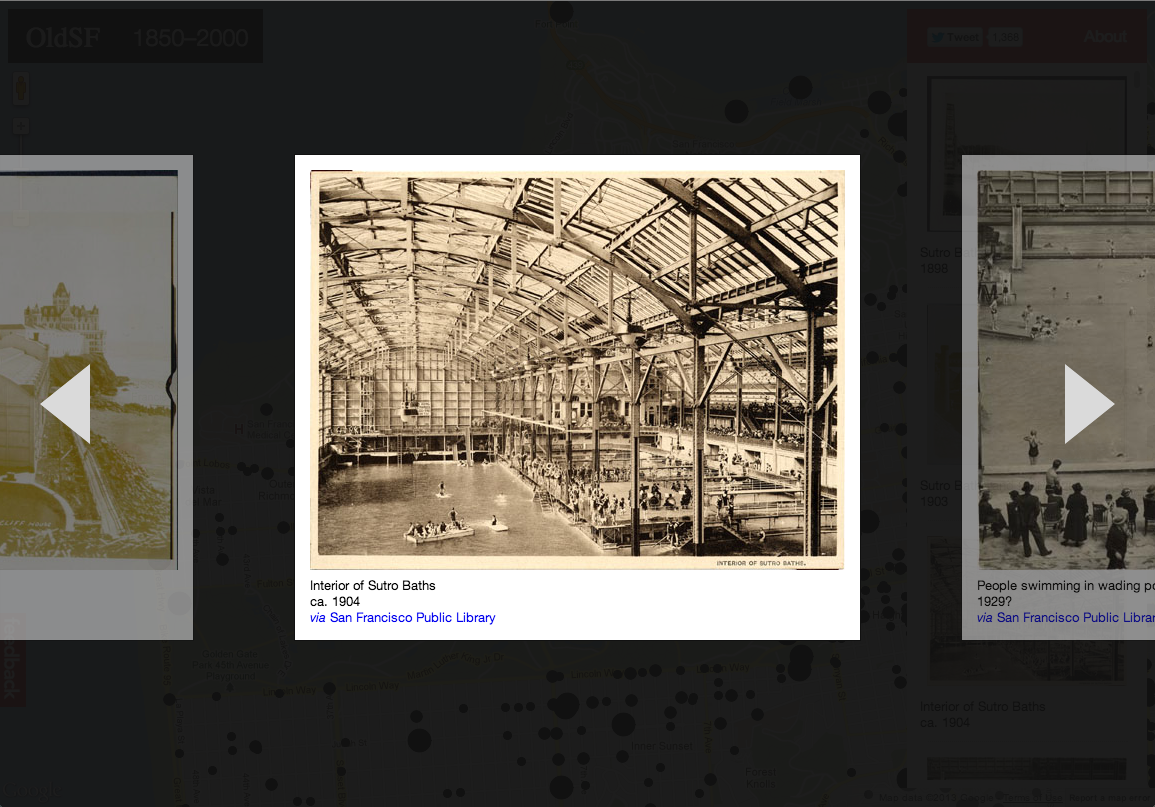
If you head over to oldsf.org, you’ll find a sleek new UI and a brand new slideshow feature. Here’s the before/after:
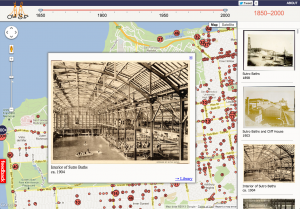
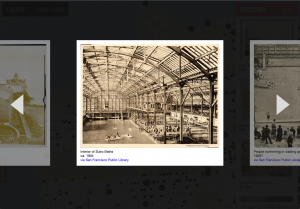
Locations like the Sutro Baths can have hundreds of photos. The slideshow lets you flip through them quickly.
As so often happens, what looked simple at first became more and more complex as I implemented it. Here’s how that process went for the OldSF update.
Read the rest of this entry »
Permalink
07.03.12
Posted in boggle, web at 10:42 am by danvk
See that Online Boggle Solver link on the right? Bet you’ve never clicked it!
I built the online solver back in 2006, mostly just for fun. In the six years since, I’ve wound up using it almost exclusively on my phone during real-life Boggle games. The iPhone didn’t exist when I built that page, and it is a device for which its fancy design (with hover effects and fixed position elements) is very ill-suited. Minimal designs tend to work better on Mobile, and I’ve just pushed out a new version for phones which is very minimal indeed.
The code behind this boggle solver differs from my other boggle code in that it’s designed for low latency rather than high throughput. This is precisely what you want from a web solver. You’re only finding the words on a single board, so time spent loading the word list dominates time spent finding words on the board. The current version uses a custom dictionary which can be MMAPped. This winds up being about 3x faster than reading a dictionary text file and building a Trie on every invocation.
I haven’t worked on Boggle in the past three years, so the state of the art in finding the highest-scoring boards is still where it was when I made my last blog post about breaking 3×3 Boggle. The interesting development then was that you could get something like a 1000x speedup by upper-bounding whole classes of boards rather than scoring each board individually. This is a big enough speed boost to make 3×3 Boggle “solvable” in a day on a desktop computer, but not enough to make 3×4 or 4×4 solvable, even on a big cluster of computers. I was optimistic that memoization could give some more big wins, but when those failed to materialize I got frustrated and stopped working on the project.
Permalink
05.17.12
Posted in programming, web at 8:48 am by danvk
To solve a crossword with your friends in Google+, click this giant hangout button:

You’ll see something like this:
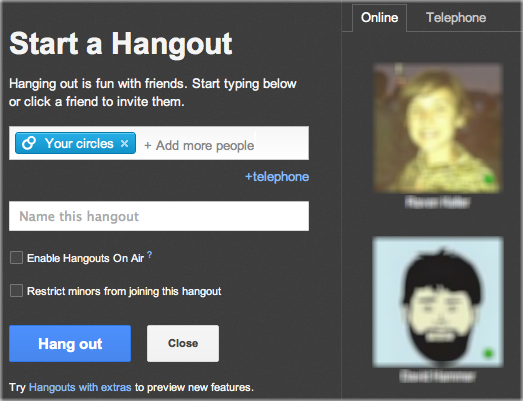
Click “Hang out” to invite everyone in your circles to help you with the puzzle. If you want to collaborate with just one or two people, click the “x” on “Your Circles” and then click your friend’s names on the right.
You’ll be prompted to either upload a .puz file or play one of the built-in Onion puzzles. You can get a free puzzle from the New York Times by clicking “Play in Across Lite” on this page.
With the puzzle downloaded, drag it into the drop area:
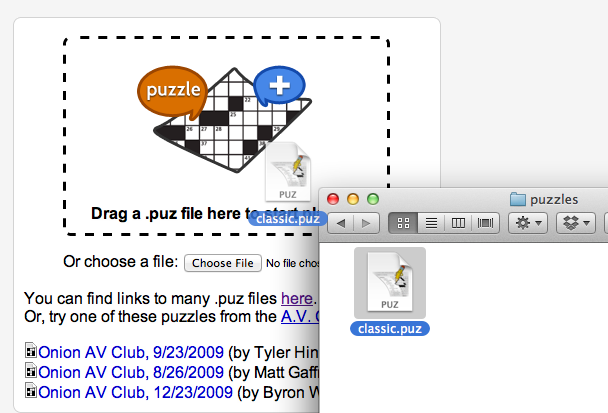
And now you’re off to the races! The big win of doing this in a Google+ hangout is that you get to video chat with your collaborators while you’re solving the puzzle, just like you would in person!
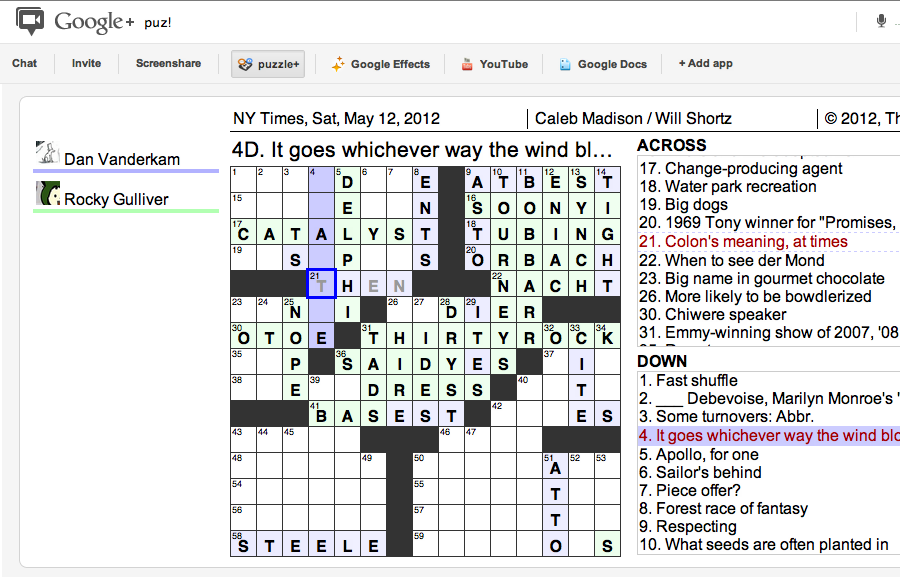
Astute readers will note that puzzle+ is a revival of lmnopuz for Google Shared Spaces, which was a revival of lmnowave (Crosswords for Google Wave), which was in turn a revival of Evan Martin and Dan Erat‘s standalone lmnopuz. Hopefully the Google+ Hangouts API will be more long-lived than its predecessors.
Permalink
« Previous entries
Next Page »